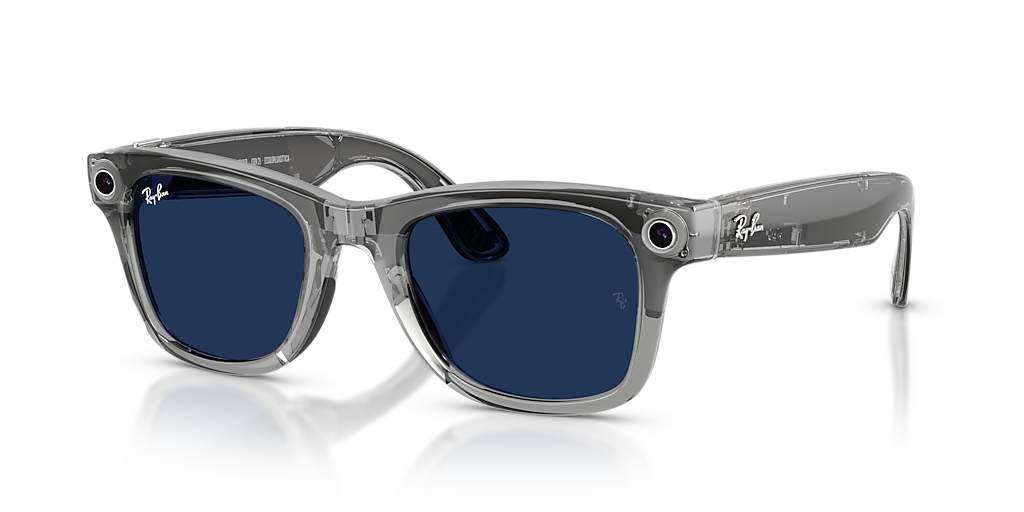
Meta and Android XR smart glasses: voice, vision and intelligence before your eyes. In one touch, your entire XR world.
A natural voice interface for the physical and digital world.
A smartphone to pull out, apps to open, fingers to use. Attention splits between the real world and the screen.
One voice command is enough: photo, note, project connection, dialogue with AI. Everything happens without stopping.
No lock-in. TheAppGO works with the hardware you already own.
RAY-BAN META
Ray-Ban Meta glasses combine camera, microphone and speakers in an everyday frame. Native voice commands, no display.
ANDROID XR
Google's platform for smart glasses with built-in display. AR information overlaid on your field of view, with absolute privacy.

Connect to a TheAppXR project or lesson with a single voice command.

Photograph what you see and send it straight into the shared project.

Record a short video and share it in the project without going through your smartphone.

Capture a voice message and attach it to the project in a second.
Speak with the hyper-realistic avatar of the TheAppAI kiosk directly from your glasses.

Listen to TheAppXR project audio guides in six languages, without taking off your glasses.
Talk to the Aibot in any language: it answers in real time with no perceived latency.
For smart glasses with built-in display: private, navigable AR.

An AR screen overlaid on your field of view, visible only to the user: nobody around sees the data.

Scroll and select information with a natural hand gesture, without touching anything.

The information shown is generated dynamically: every view is different and always up to date.

The display is visible only to the wearer. Zero risk of accidental data exposure.
Meta Ray-Ban or Android XR: you're already wearing them, TheAppGO is ready in the background.
Speak the command: connect, photograph, record, ask the AI.
TheAppGO sends the request: AI, XR project or note system receive the input.
Audio in your ear or information in the display: the response is instant and private.
Attach the project, work order or lesson, then call: voice, video, shared screen.

Link the TheAppXR project, which is also a work order, or a lesson matching a single job. The context is ready before the call.

A simple voice command starts the video call. The expert receives the project context and connects in seconds, with no numbers to dial.

Share your point of view live: the glasses camera streams what you see to the expert on the web or on TheAppXR for PC, with open voice dialogue.

In operational contexts the glasses become a bodycam: the video feed is visible in real time in the XR headsets of remote supervisors or trainers.
Access XR projects and listen to the guides in sites and immersive experiences already created.
Interact with the kiosk avatar using your voice from the glasses: no QR code needed.
Voice to photograph, record, take notes and talk to the AI. Private AR display with real-time information. Native integration with TheAppXR and TheAppAI. Meta and Android XR supported.